
Home › Customer Support
Customer support
Already a customer? Start here.
Set up the app, fix the common things yourself in a couple of minutes, or tell us what's wrong and we'll come out.
Get the Trimlight Edge app
Everything — colors, patterns, schedules, music sync — runs from the free Trimlight Edge app, from anywhere in the world.
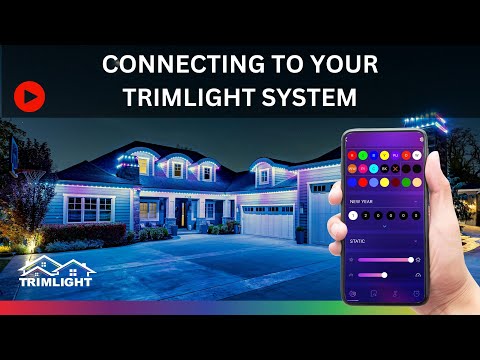
Setup videos
Short walkthroughs for the things people ask us most.



Troubleshooting
Most issues are a reset or a Wi-Fi setting away. Trimlight's interactive guide walks you through it step by step for your exact system.
Connection & controller
Why can't I connect to my Trimlight system anymore?
Usually a power blip at the controller, or the controller's signal got switched. With a blue light on the controller (quick-click the STA/AP button to toggle blue and green), you should see the Trimlight signal in your Wi-Fi list. With a solid green light, you should be able to connect through the app on your home Wi-Fi.
What color light should be on my controller?
Blue means you're using Trimlight's own dedicated Wi-Fi signal. Green means it's paired to your home network. Quick-click and release the STA/AP button on the controller to switch between them.
How do I do a soft reset?
Unplug the white Trimlight controller for one full minute, then plug it back in. You can also pull the green cube next to the blue or green light for a minute. It clears error codes without deleting any saved patterns or timers.
Do I lose my patterns and timers if the power goes out?
No. The controller has a built-in battery, so saved programs and timers survive a power loss. We still recommend leaving it plugged in except during a reset.
Why won't Trimlight pair to my home network?
It's built to join any 2.4 GHz Wi-Fi network, but some routers, firewall settings, distance, or interference (LED lights, solar controllers, EV chargers, other Wi-Fi devices) can get in the way. Your internet provider can often help pair it to your specific router. And if all else fails, Trimlight's own dedicated signal (blue light) always works.
What does the "pair new device" button do?
It pairs Trimlight to your home network. As above, we can't guarantee it will pair with every router, but the dedicated Trimlight signal is always there as a fallback.
How do I hard close the app?
Hard-close the app between uses — it matters for reliable control. On iPhone, swipe up from the bottom (or double-click the home button) and swipe the app away. On Android, open recent apps and choose clear or close all.
How do I rename the Trimlight Wi-Fi signal?
Connect to the Trimlight Wi-Fi signal, open the app, switch to manual mode, then long-press the word Trimlight and choose rename. Afterwards, hard-close the app, refresh your Wi-Fi list, and connect to the new name.
Using the app
Is there a warm white setting?
Yes. On the custom color screen, tap the circle labeled WW — the first circle on the second row. You can also long-press any custom color circle and drag across the spectrum, or type an RGB code straight into the R-G-B boxes.
How many patterns can I save?
Up to 30. Past that, tap the clock icon at the bottom right, swipe left on a pattern, and delete or rename it.
How many colors can one pattern use?
Up to 30 different colors, with up to 90 lights of each color — say 90 red, 15 orange, 5 white.
How do I rename or delete a pattern?
Open the app, press enter, tap the clock icon at the bottom right, then swipe left on the pattern to rename or delete it.
How do I delete a calendar event?
Open the app, press enter, tap the clock icon, scroll to the schedule button and open the calendar. Events show in pink — tap the month and days, and delete from the event window.
Can I run a daily timer and a calendar event on the same day?
Yes, as long as they don't overlap. For example, a holiday event from 7pm to 11pm, then a daily timer from 11:01pm onward.
How do I slow down a chasing pattern?
Slide the speed bar all the way left. If it's still too fast, raise the number of diodes on each color in the color line until it looks right — then save it.
Request a repair
Sorry you're having trouble. Like any electronics running on Wi-Fi and high-amp output, a small share of systems need service — which is exactly why the warranty is what it is. Tell us what's going on and we'll come prepared.
Register your warranty
To qualify for the manufacturer's lifetime warranty on the parts, register your system with Trimlight. Fill it out completely — missing details can delay or void a claim.
Still stuck? Call or text (806) 835-5612 — you'll reach our local crew.